05 · COMMERCIAL AV
Commercial AV service & installation in Houston.
A meeting room that cannot connect or a display that has gone dark needs a clear service plan. We assess existing commercial AV, conferencing, control and network connections, then agree repairs or upgrades with your facilities and IT teams.
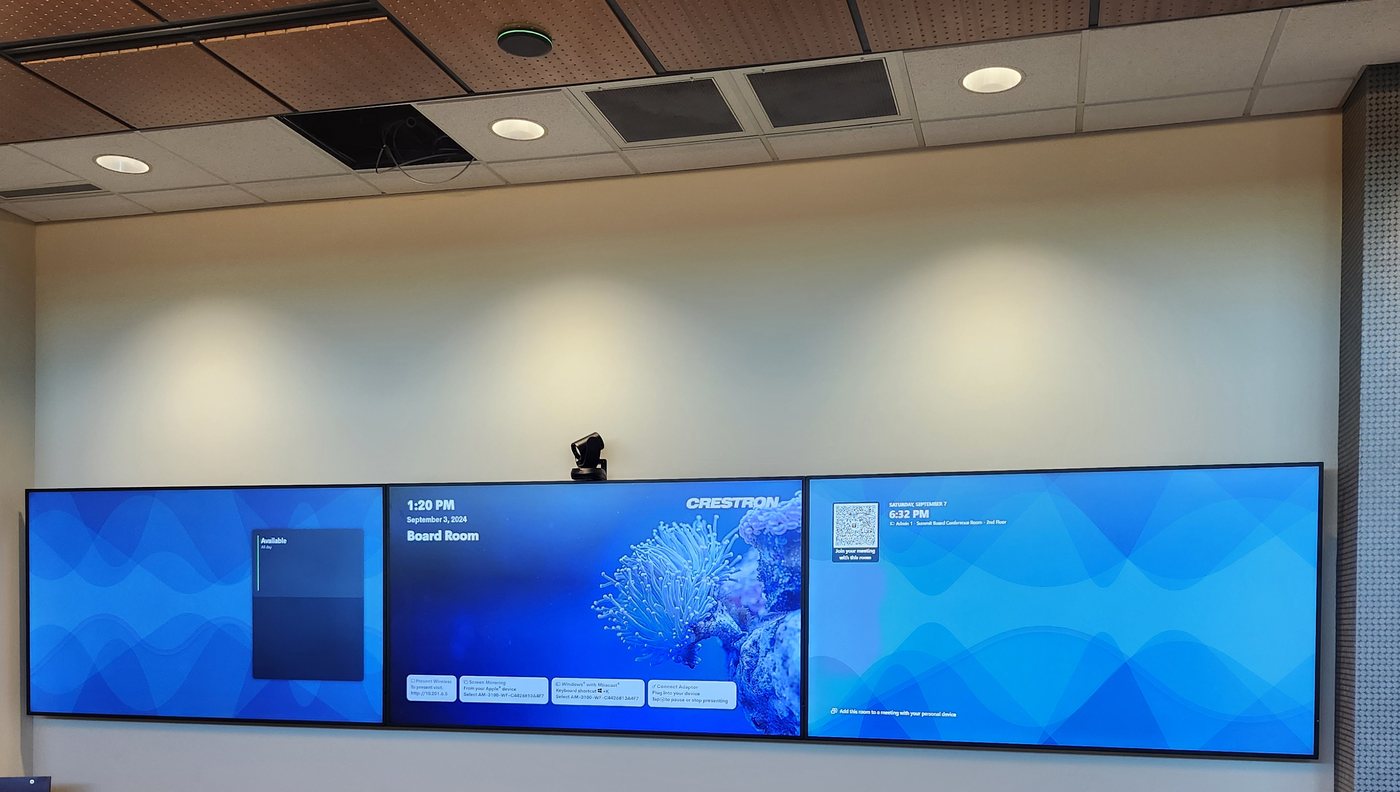
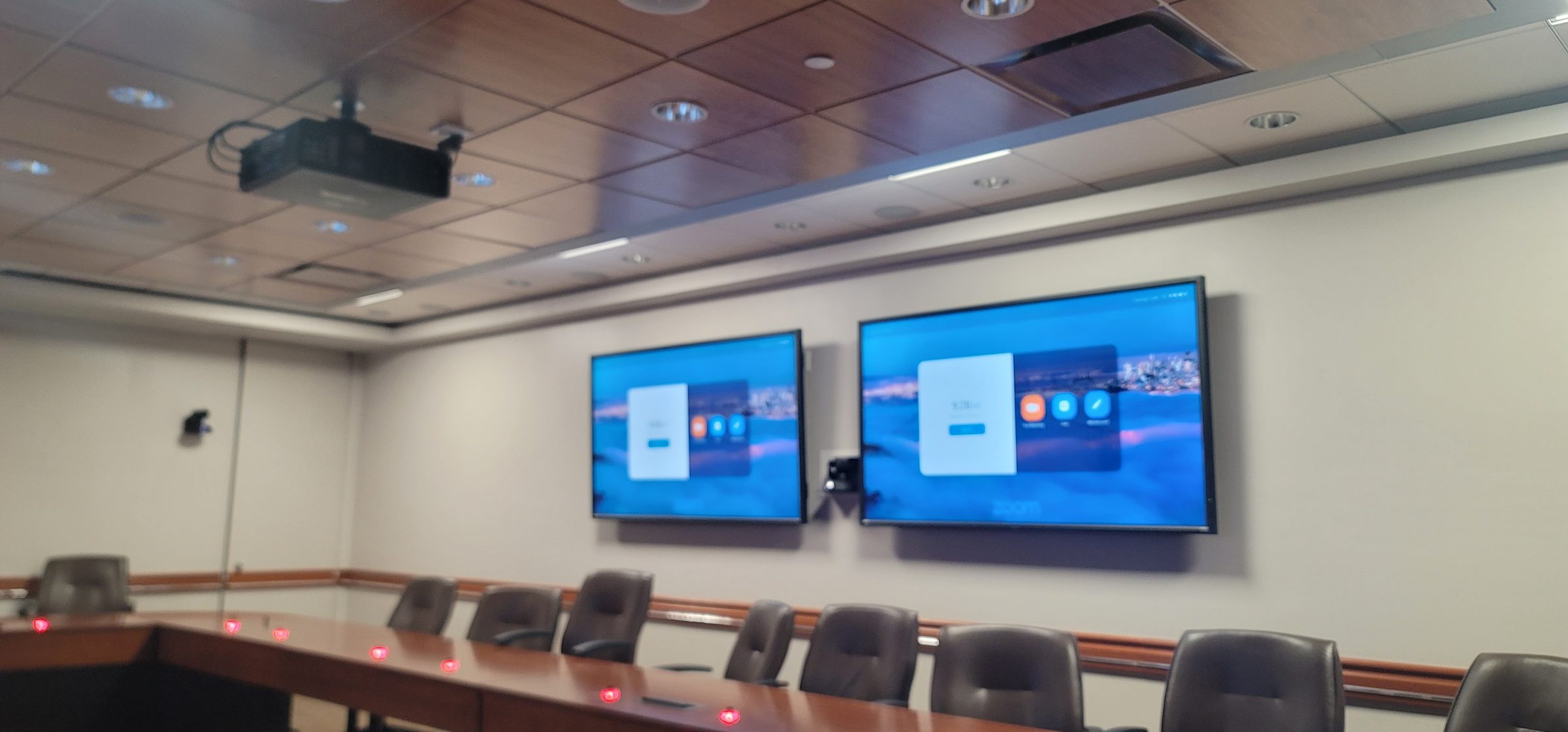
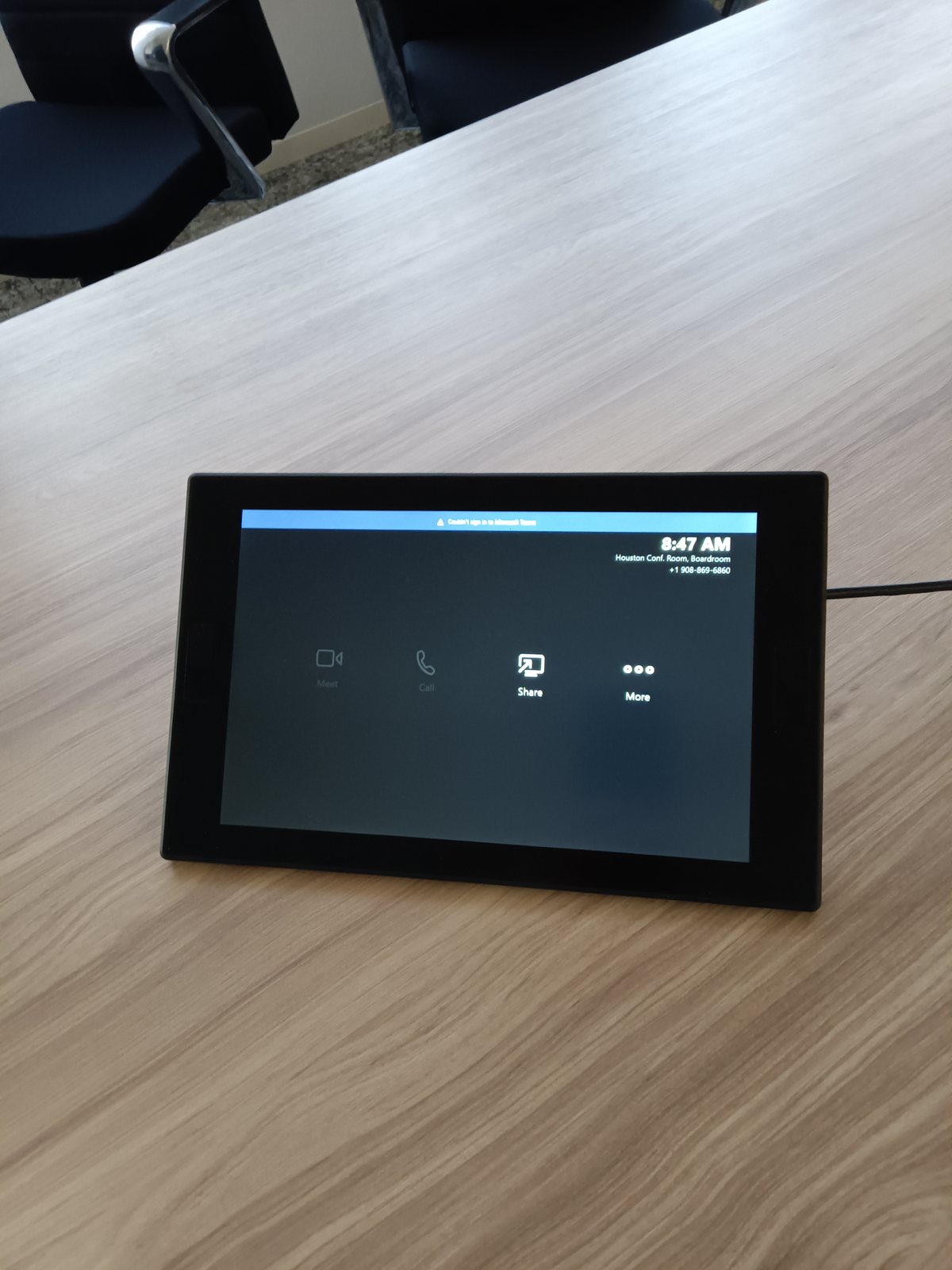
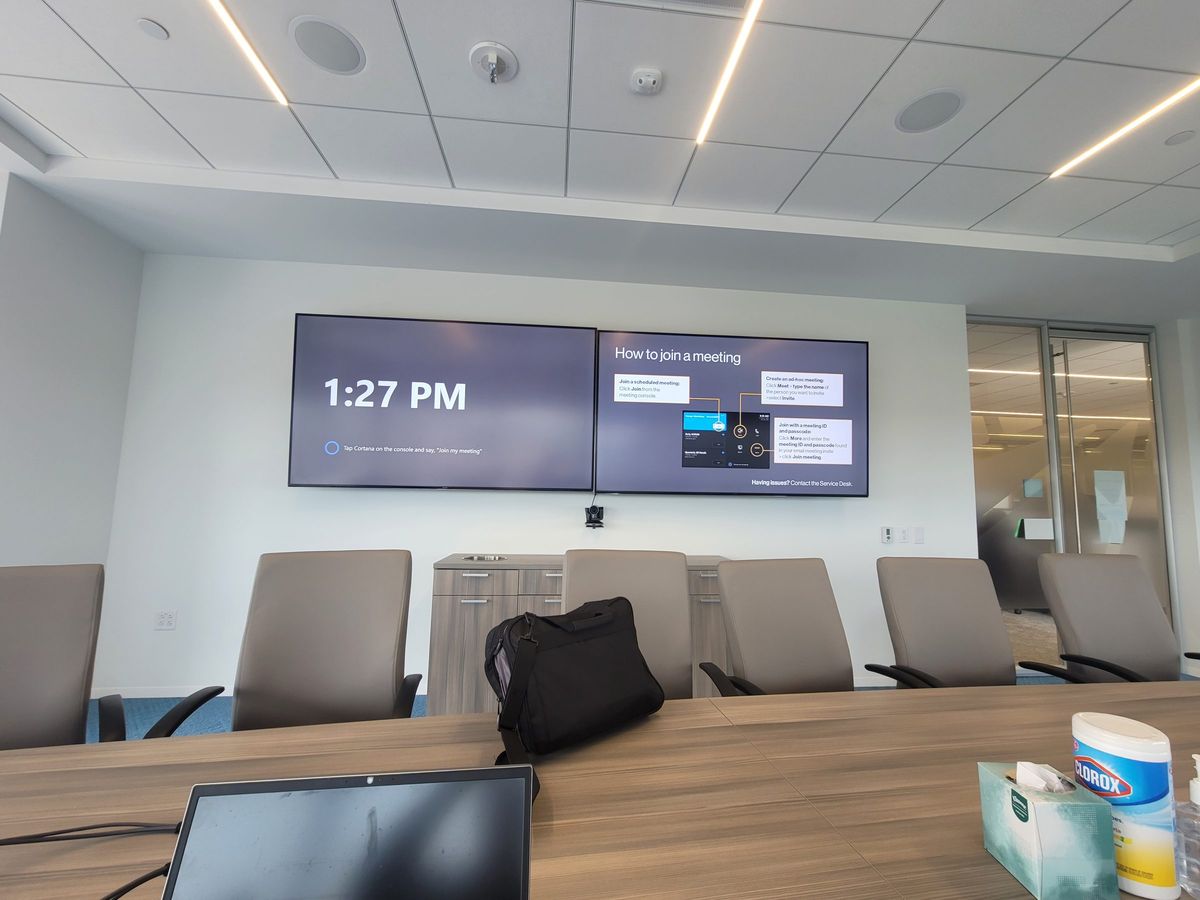
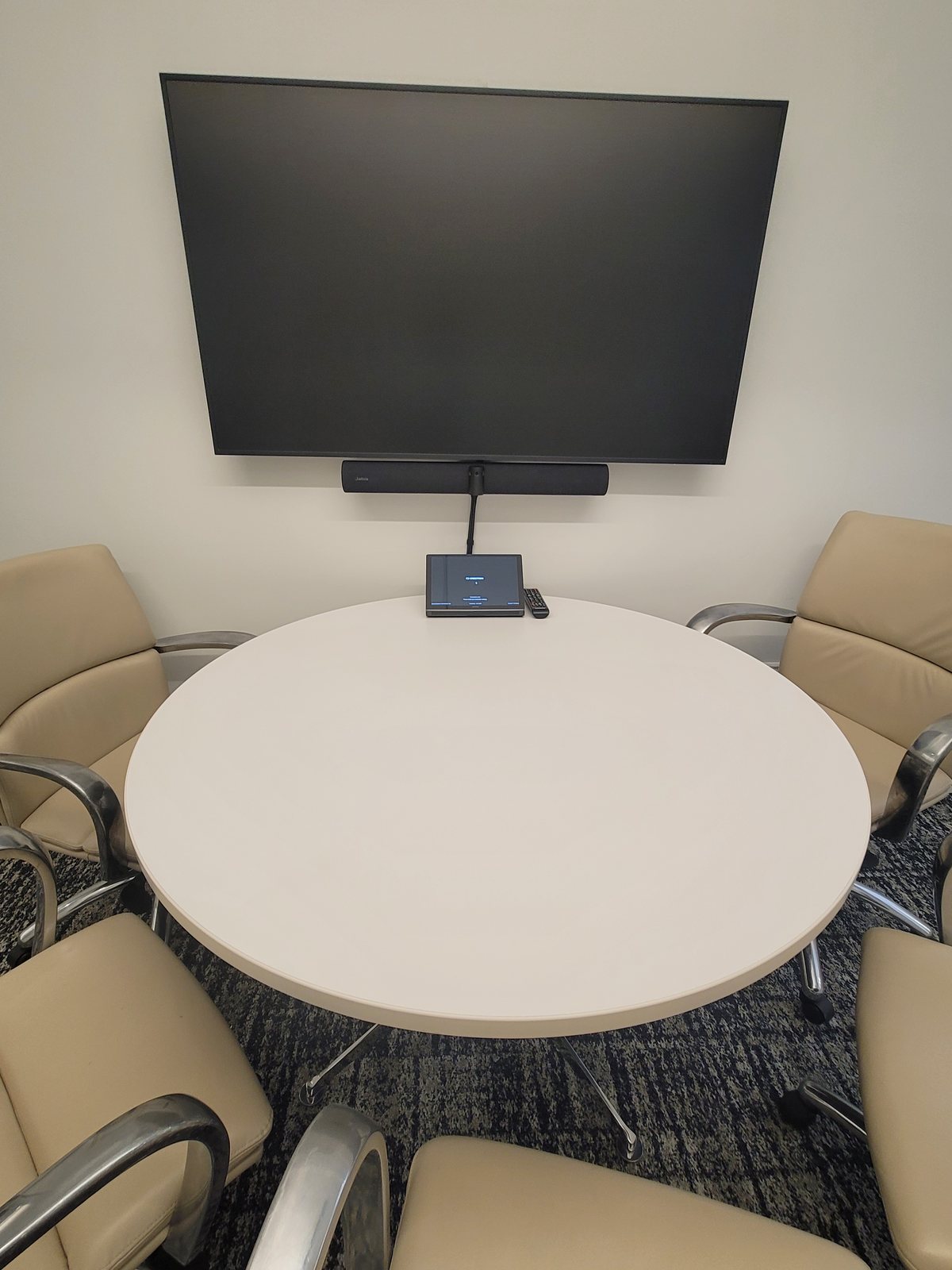
Microsoft Teams Rooms and Zoom Rooms
We design and install certified Microsoft Teams Rooms and Zoom Rooms — from small huddle spaces to large boardrooms. Camera selection, microphone placement, display sizing, acoustic treatment, room calibration and control programming all matter for a meeting that actually works.
Walk in, tap to join, see and hear everyone clearly. That is the bar.
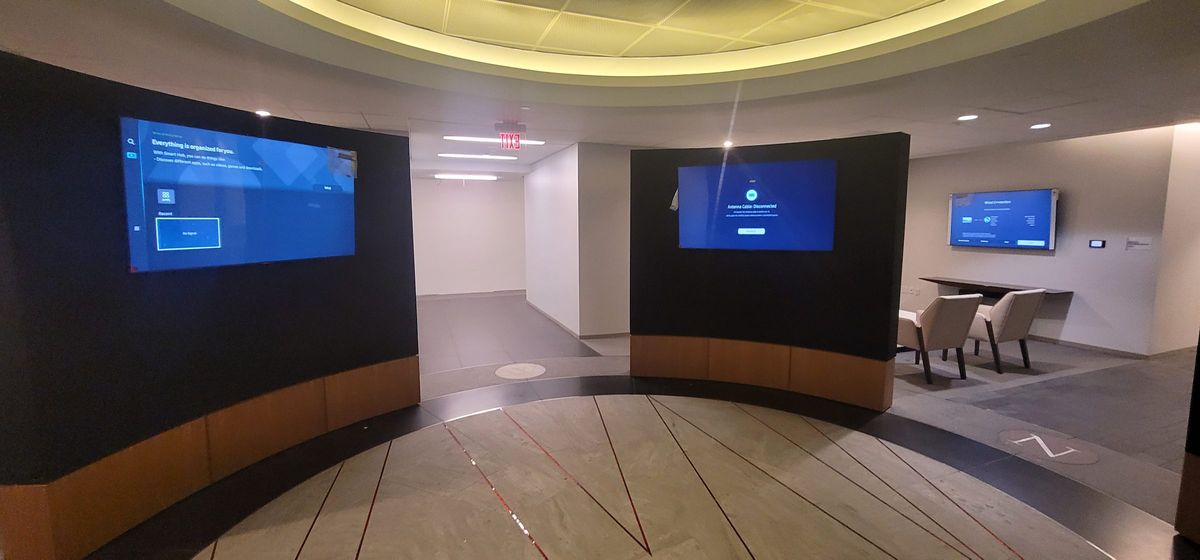
Video Walls and Digital Signage
Large-format LED walls, LCD video walls, interactive displays and digital signage for lobbies, command centers, training rooms and retail. We handle mounting, content management, signal distribution and calibration.
Commercial AV Design Process
Every Houston commercial AV installation we take on follows a structured design process — the same whether we are outfitting a single conference room or rolling out Microsoft Teams Rooms across a multi-floor corporate campus. A well-executed audio visual installation is the difference between a room that gets used and a room that gets avoided. Clear steps keep the project on schedule, on budget, and built around the people who will actually use the space.
1. Consultation and Needs Assessment
We start with a site visit and a deep conversation about how the room will be used day to day. Who presents? Who joins remotely? How many people typically sit in the room? What does your IT team need from us in terms of network integration, VLAN segmentation, and security compliance? We document the space, take measurements, photograph existing infrastructure, and identify any acoustic or structural challenges before we recommend a single piece of hardware.
Design consultations for new projects and paid service visits for existing systems are scheduled separately; whether a consultation is complimentary or billed is confirmed before it is booked.
2. System Design and Engineering
From the consultation we produce a detailed AV system design — equipment schedules, signal flow diagrams, display and speaker placement drawings, and a complete bill of materials. We specify certified components for Microsoft Teams Rooms and Zoom Rooms, select displays and microphones appropriate for the room size and acoustics, and design the control system programming layout. Every cable run, mounting bracket, and rack position is planned before installation begins.
3. Installation and Infrastructure
Our installation team handles mounting, cabling, rack builds, and physical infrastructure — the backbone of any audio visual installation. We pull cable through existing conduit or coordinate with your general contractor on new construction. Every connection is tested as it is terminated — no "we'll fix it later." We work around your business hours when needed, including evenings and weekends, to minimize disruption to your team.
4. Control System Programming
A conference room AV system is only as good as its control interface. We program Crestron, Control4, and custom control systems so that starting a meeting is a single tap — lights, display, camera, microphone, and video conferencing platform all come up together. We build room schedules, touch panel layouts, and automated room shutdown sequences that save energy and extend equipment life.
5. User Training and Handoff
We do not disappear after the install. We walk your team through the system — how to start a Teams meeting, how to share content, how to adjust the camera, how to end the session and reset the room. We provide quick-reference guides tailored to your specific rooms and leave behind documentation your IT team can use for troubleshooting.
6. Ongoing Service and Support
Ongoing support can include system checks and agreed maintenance work. Firmware or software updates are considered only after reviewing compatibility, available backups, authorized access and an interruption window. Remote support and any scheduled maintenance or response commitments require an agreed scope; indiscriminate updates are not part of a service promise.
Houston Commercial AV Expertise
We have designed and installed commercial AV systems across Houston's major business districts — from corporate headquarters in the Energy Corridor to executive boardrooms in the Galleria to medical campus conference rooms in the Texas Medical Center. Among audio visual companies serving the Houston market, our work stands out because we treat AV services Houston businesses can rely on as a craft, not a commodity. Each area presents its own requirements and we bring local experience to every project — delivering complete audio visual services from design through ongoing support.
Energy Corridor Corporate AV
The Energy Corridor is home to some of Houston's largest energy and engineering firms, and their AV needs reflect it. We have built multi-room conference systems with Microsoft Teams Rooms integration, divisible training spaces, and command-center video walls for companies that need to coordinate across global offices. Network security and reliability are non-negotiable, and we design every system to integrate cleanly with enterprise IT infrastructure.
Galleria and Uptown Office AV
Uptown and the Galleria area host professional services firms, law offices, and corporate regional offices where the conference room is a client-facing space. We design boardroom AV that looks as polished as the rest of the office — recessed displays, hidden cabling, architectural speaker integration, and control panels that match the room's aesthetic. Video conferencing Houston businesses rely on for client meetings has to be effortless and professional every time.
Texas Medical Center AV
The Texas Medical Center is the largest medical complex in the world, and its conference rooms, training facilities, and presentation spaces have unique demands. We install AV systems for medical education spaces, telemedicine consultation rooms, and administrative conference rooms — with attention to infection-control-friendly mounting, cleanable surfaces, and integration with medical-grade displays and secure network infrastructure.
TMCx and Innovation Ecosystems
The Texas Medical Center's TMCx accelerator and innovation campus demand AV infrastructure that supports hybrid collaboration between researchers, clinicians, and industry partners. We have outfitted innovation labs and pitch spaces with flexible AV — movable displays, wireless content sharing, and modular conference systems that can be reconfigured as teams and projects change. The TMC3 BioPort campus and Helix Park developments represent the next generation of Houston medical innovation infrastructure, and we bring experience designing AV for these cutting-edge environments.
Downtown Houston and EADO Corporate AV
Downtown Houston's office towers — from Williams Tower to Pennzoil Place to Chevron's headquarters campus — house executive suites, investor relations rooms, and trading floors where AV reliability is measured in seconds of downtime per year, not hours. We design boardroom AV for downtown law firms, energy trading floors, and financial services firms where every meeting is high-stakes and the technology must be invisible. East Downtown (EADO) and the Warehouse District have emerged as hubs for creative and technology companies that want collaborative, flexible AV — open-plan huddle spaces, divisible training rooms, and digital signage that reinforces company culture.
TEAMS ROOMS
Microsoft Teams Rooms: Windows vs Android
Teams Rooms is available on Windows and Android. The appropriate choice depends on the room, certified hardware configuration, required meeting features, licensing and the organization’s management policies. Features and peripheral support differ by platform and software version; we confirm the required functions against Microsoft’s current feature comparison rather than assuming the two platforms are interchangeable.
Certified Devices We Install
Room hardware is selected for the current platform certification, supported configurations, room layout and IT requirements. Camera, microphone, speaker, compute and touch-controller compatibility must be checked together. Logitech Scribe is a whiteboard-content camera, not a general people-counting or occupancy sensor. See Logitech Scribe and Microsoft's certified device overview.
Teams Rooms Provisioning and Pro Management
Deployment is coordinated with your Microsoft 365 administrators. Resource accounts, licensing, network access, device enrollment and security policies must be reviewed for the selected room platform. Available monitoring and remote-management functions depend on the hardware, licenses and supported management tools. We agree responsibilities and acceptance tests before handover.
VIDEO WALLS
Video Walls: LCD vs dvLED and Pixel Pitch
Video walls are the centerpiece of many Houston commercial AV installations — lobby displays, command centers, trading floors, operations dashboards, and collaborative workspaces. The two primary technologies are LCD video walls and direct-view LED (dvLED) walls, and the choice between them comes down to viewing distance, ambient light, budget, and the content you need to display.
LCD Video Walls
LCD video walls use commercial displays tiled in a grid. Overall resolution, visible seams, brightness, viewing angle and operating duty depend on the selected panels and controller. We compare the actual bezel specifications, mounting tolerances, source layout and viewing distances rather than promising a seamless image or a fixed resolution for every panel.
Direct-View LED (dvLED) Video Walls
Direct-view LED walls combine LED modules into a display without LCD-style panel bezels. Pixel pitch, wall dimensions and viewing distance together determine usable resolution and text readability. Brightness, viewing angle, service access, power and thermal requirements vary by product. We compare the specified LCD and LED options for the room instead of assuming one technology is always brighter or better.
Control Room and Command Center Applications
An operations-room design starts with the sources operators must see, text readability, operating hours and the consequences of an outage. Redundant power, serviceable modules, KVM functions and multi-source processing are options only where the selected equipment supports them. Required service life, duty cycle and maintenance access must be checked against the manufacturer’s specifications; no display lifetime or failover capability is assumed.
DIGITAL SIGNAGE
Digital Signage, Wayfinding, and Menu Boards
Digital signage is the connective tissue of a modern commercial building — lobby welcome displays, wayfinding kiosks, menu boards, corporate communications screens, and interactive directories. We design and install digital signage systems that are as functional as they are attractive, with content management platforms that let your marketing or facilities team update content without calling an AV technician.
Wayfinding and Interactive Directories
For Houston's large office towers and medical campuses, wayfinding is a daily necessity. We install interactive touch-screen directories with building maps, tenant listings, and real-time meeting room schedules — powered by platforms like 22 Miles, Four Winds Interactive, and Rise Vision. Visitors can search for a company, see a map, and get turn-by-turn directions to their meeting. For accessible buildings we integrate ADA-compliant touch interfaces with audio guidance and wheelchair-reachable screen heights, and we coordinate with your facilities team on content updates as tenants move in and out.
Lobby Displays and Corporate Communications
Every commercial lobby in Houston makes a statement. We install large-format lobby displays — 75-inch to 98-inch commercial-grade screens, or full dvLED walls — that welcome visitors, display company branding, cycle through corporate communications, and show live metrics like occupancy counts, energy usage, or stock performance. Content is managed through centralized digital signage platforms with scheduling, role-based publishing, and integration with RSS feeds, social media, and internal data sources. For multi-building campuses we design hierarchical content systems where corporate-level messaging can be pushed to all buildings while individual buildings retain local content control.
Digital Menu Boards for Houston Restaurants
Houston is one of America's great food cities, and restaurants from Montrose to the Heights are replacing static menu boards with digital displays that allow instant price changes, daypart switching — breakfast to lunch to dinner — and high-impact food photography. We install weatherproof outdoor digital menu boards for drive-through lanes, indoor LED menu boards for quick-service and fast-casual concepts, and multi-screen installations for food halls like those in downtown Houston and the Galleria. Samsung's Smart Signage displays and BrightSign media players are our go-to stack for reliable 24/7 commercial operation, with content scheduling that handles happy hour promotions, seasonal menus, and limited-time offers without manual intervention.
NETWORKED AV
AV-over-IP and Dante Audio Networking
Networked AV can distribute video, audio and control between rooms over a suitably designed Ethernet network. It can offer flexible routing, but cabling cost, capacity, management and resilience depend on the topology and equipment. Existing switches and links require assessment before the network is reused for AV.
Crestron NVX and AV-over-IP Distribution
DM NVX is a networked video-distribution option, not a way around physical link limits. Network design must account for endpoint bandwidth, switch capacity, uplinks, multicast configuration and supported copper or fiber links. Cross-floor distribution is possible only with an appropriate network path. Video formats, latency, USB transport and Dante or AES67 support depend on the selected endpoints and software; these capabilities are not universal across every model. We coordinate network requirements with IT using Crestron’s network-design guidance.
Dante Audio Networking
Dante can route network audio between compatible devices for meeting rooms, distributed sound and other commercial applications. Channel capacity, latency and supported sample rates depend on the devices and network. Redundant primary and secondary networks require redundancy-capable devices and an appropriate separated topology. AES67 interoperability and management across network boundaries are checked for the selected products and firmware rather than assumed for every Dante device.
AV-over-IP vs Traditional Matrix Switching
AV-over-IP and fixed matrix switching each suit different projects. We compare source and display counts, required formats, cable routes, network capacity, future expansion, support requirements and total cost. Networked AV is not infinitely scalable or inherently free of single points of failure; switches, power, uplinks and control services can create shared dependencies. A fixed HDMI or HDBaseT system may be simpler for a contained room. Resilience and failover are designed and tested where required.
SERVICE & MAINTENANCE
Commercial AV Service Contracts and Maintenance
Ongoing support can include system checks and agreed maintenance work. Firmware or software updates are considered only after reviewing compatibility, available backups, authorized access and an interruption window. Remote support and any scheduled maintenance or response commitments require an agreed scope; indiscriminate updates are not part of a service promise.
Service Contract Tiers
Maintenance and support scope, visit frequency, remote-access arrangements, response expectations and exclusions must be agreed in writing for the particular system. Contact us to discuss the service you need; no same-day response or unlimited-support promise is made here.
Preventive Maintenance and Lifecycle Planning
Scheduled maintenance catches problems before they become outages. During a maintenance visit we inspect and clean display panels, test all cable connections, verify microphone and speaker performance, update firmware on cameras and codecs, check room scheduling integration, and test the control system programming. We document every visit with a service report your facilities team can use for compliance and audit requirements. We also provide lifecycle planning — identifying equipment approaching end-of-support or end-of-life so you can budget for replacements on your schedule, not in the middle of a critical meeting.
HOUSTON CONSIDERATIONS
Houston-Specific Commercial AV Considerations
Houston's climate, infrastructure, and geography create unique challenges for commercial AV Houston installations that installers in other cities never face. We design every system with Houston's environment in mind — from hurricane season power resilience to heat load calculations for equipment racks in buildings that run air conditioning 10 months of the year.
Hurricane Preparedness and Power Resilience
Hurricane season runs June through November, and Houston has experienced some of the most destructive storms in American history — from Hurricane Harvey to the May 2024 derecho that devastated the city's power grid. Commercial AV systems need to survive and recover. We design equipment racks with surge protection on every circuit, specify UPS battery backup for all critical compute devices — Teams Rooms appliances, control system processors, network switches — and can integrate automatic shutdown sequences that power down equipment gracefully when utility power is lost. For mission-critical operations centers and trading floors we design generator-backed power circuits with redundant UPS systems so AV infrastructure stays online through extended outages.
Heat Load Calculations for Boardroom Equipment
Houston's commercial buildings run HVAC hard, and every piece of AV equipment adds heat load to the space — displays, amplifiers, video conferencing codecs, and rack equipment all generate BTUs that the building's air conditioning has to handle. We calculate the heat load of every equipment rack and coordinate with your mechanical engineer or facilities team to ensure the room's HVAC can handle the additional load. In server rooms and IDF closets where AV gear shares space with network equipment, we verify cooling capacity and airflow patterns to prevent thermal shutdowns — a common failure mode in Houston's summer months when ambient temperatures reach 100 degrees and building HVAC systems are already stretched.
Redundant Network Paths
For mission-critical AV systems — trading floors, emergency operations centers, hospital telemedicine suites — a single network path is a single point of failure. We design redundant network paths with dual switches, diverse cable routing through separate conduits, and automatic failover so that a cable cut or switch failure in one part of the building does not take the AV system offline. Dante audio networks support dual-path redundancy natively, and Crestron NVX can be configured with redundant network cores. We work with your IT team to design the right level of redundancy for your risk profile, whether that is a hospital that cannot afford a minute of downtime or a corporate boardroom where a brief outage is an inconvenience but not a catastrophe.
Frequently Asked Questions
Do you install Microsoft Teams Rooms?
Yes. We are experienced with certified Teams Rooms solutions from Logitech, Crestron, Yealink and other certified partners. We handle the full audio visual installation — display, camera, mic array, compute, room calibration and Teams provisioning.
Can you service our existing conference room AV?
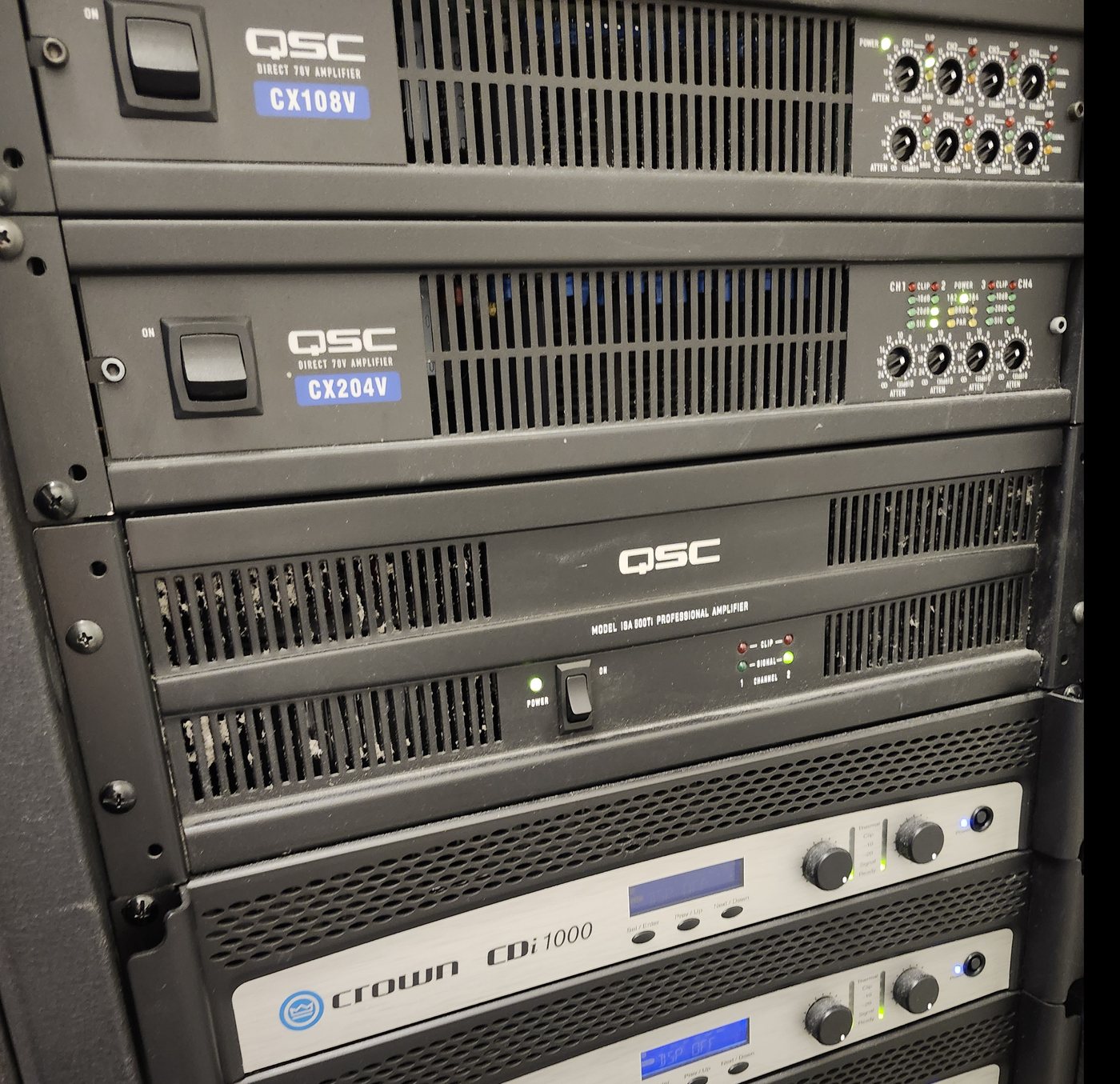
Yes. We service and repair existing commercial AV systems — Crestron, Extron, Biamp, Shure, QSC, Cisco and others. We start with diagnosis and documentation.
Do you install video walls?
Yes. We design and install LED video walls, LCD video walls and large-format displays for lobbies, command centers, training rooms and retail environments.
What commercial AV brands do you install?
We install and support commercial AV equipment from Crestron, Extron, QSC, Shure, Biamp, Logitech, Yealink, Cisco, Poly, Samsung, LG, Sony, ViewSonic, Epson, Jabra, Sennheiser and more. We are brand-agnostic — we recommend the right product for the room, the use case, and your budget, not the brand we happen to stock. For Microsoft Teams Rooms and Zoom Rooms we use certified solutions from certified partners to ensure the best meeting experience.
Do you offer AV maintenance contracts?
Yes. We offer tiered AV service and maintenance contracts for Houston businesses — from basic remote support to full onsite coverage with priority response. Contracts include scheduled system health checks, firmware and software updates, display and audio recalibration, spare-part management, and emergency onsite visits. Most clients start with a quarterly maintenance plan and adjust based on usage and system complexity.
Can you integrate with our existing IT network?
Yes. Our commercial AV installations are designed to integrate cleanly with your existing IT infrastructure. We coordinate with your IT team on VLAN segmentation, QoS prioritization for video traffic, firewall configuration, Active Directory and single sign-on integration, and endpoint management. For Microsoft Teams Rooms and Zoom Rooms we follow the vendor's network requirements and your IT policies to ensure secure, reliable operation on your corporate network.
What is the difference between Teams Rooms on Windows and Teams Rooms on Android?
Teams Rooms on Windows runs on dedicated compute appliances and supports the full Teams feature set — PowerPoint Live, whiteboarding, Teams casting, and third-party app integration. Teams Rooms on Android runs on certified bar-type devices and offers a streamlined meeting experience that is simpler to deploy and manage at scale. We help you choose the right platform based on your room sizes, feature requirements, and IT management preferences, and we install certified hardware for both.
Do you install digital signage and wayfinding systems?
Yes. We design and install digital signage, interactive wayfinding directories, lobby displays, corporate communication screens, and digital menu boards for Houston restaurants and food halls. We work with platforms including 22 Miles, Four Winds Interactive, Rise Vision, Samsung Smart Signage, and BrightSign, and we integrate ADA-compliant touch interfaces for accessible buildings.
Do you design AV systems for Houston hurricane preparedness?
Yes. We design commercial AV systems with Houston's hurricane season in mind — surge protection on every circuit, UPS battery backup for critical compute devices, automatic graceful shutdown sequences, and generator-backed power circuits for mission-critical operations. We also calculate heat load for equipment racks to prevent thermal failures during Houston's summer months when building HVAC systems are under maximum load.
What is AV-over-IP and do we need it?
AV-over-IP moves video, audio, and control signals over standard Ethernet networks instead of dedicated HDMI or analog cables. We install Crestron NVX and Dante audio networking for multi-room and multi-floor deployments where scalability, lower cabling costs, and centralized management matter. For single-room installations with fixed sources, traditional HDMI or HDBaseT switching may be simpler and more cost-effective. We assess your project and recommend the right architecture.
Experience across the system—not just one box
Chris Cox brings over 25 years of professional AV engineering, programming, integration and troubleshooting experience across multiple platforms. We look at how the equipment, control and network work together, then discuss the service scope, access requirements and charges before work begins.
AV repair and system takeovers · Control4 service · Savant service · Crestron service · Lutron service
Ready to start?
Tell us what you want the room to do. We'll handle the rest.