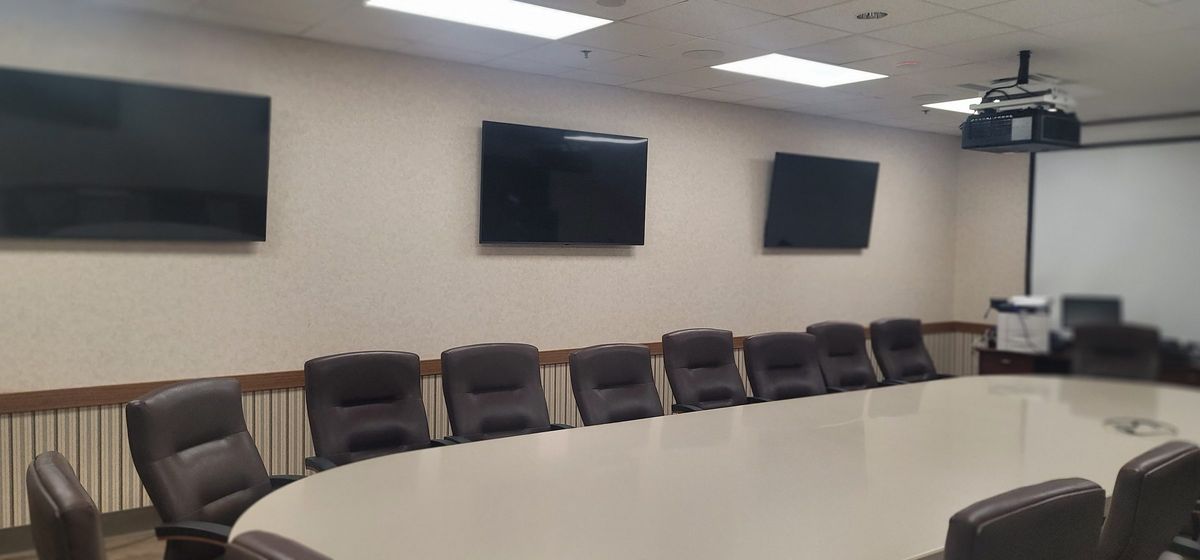
CONFERENCE ROOM AV
Conference room AV service & installation in Houston.
No microphone, missing camera, a blank display or a meeting that will not join? We troubleshoot the room equipment, signal path and control system, including installations by other companies. Tenant and network changes are coordinated with your IT administrator.
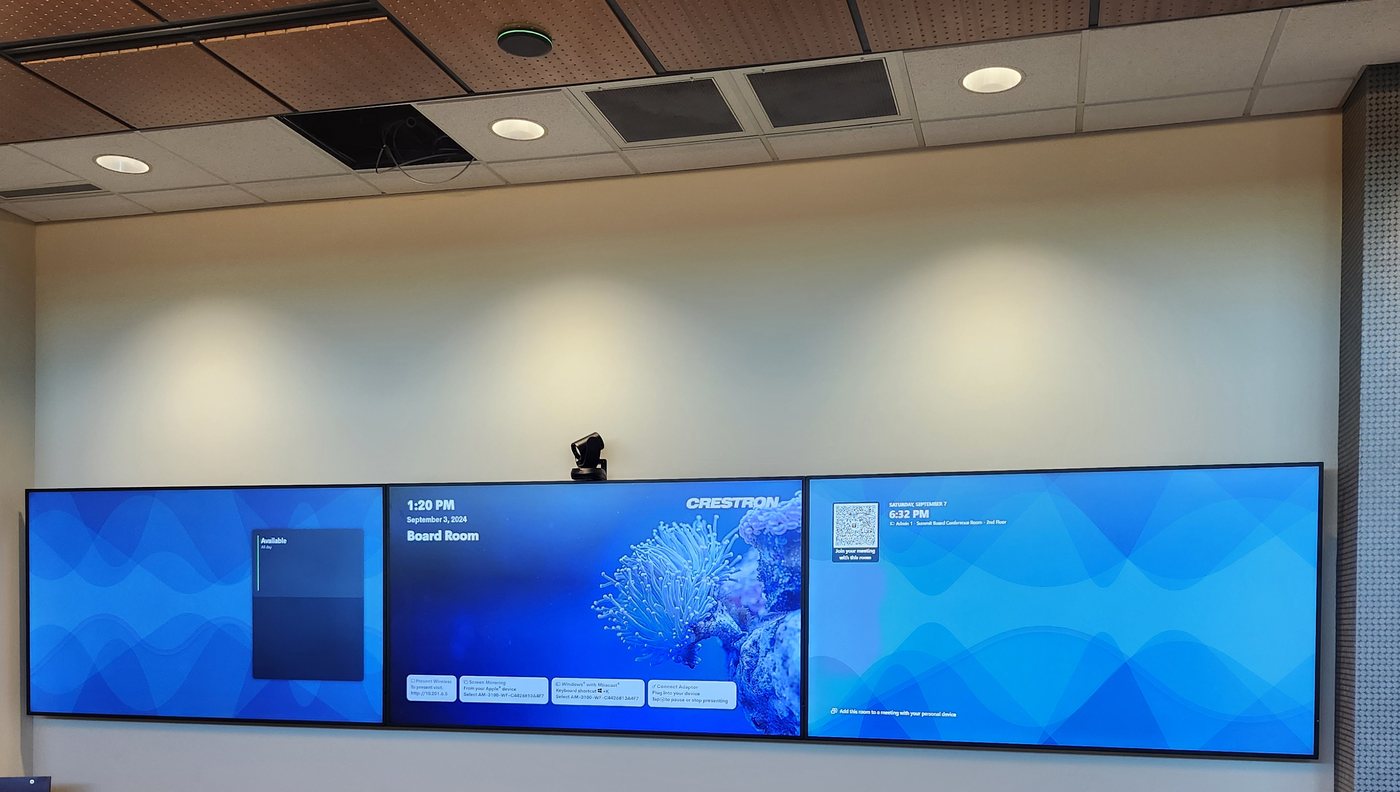
Boardroom and Conference Room Systems
We design and install boardroom AV systems — from small huddle spaces to large divisible conference rooms. Camera selection, microphone array placement, display sizing, acoustic treatment, room calibration and control programming all matter for a meeting that actually works.
- Microsoft Teams Rooms — certified solutions
- Zoom Rooms — certified solutions
- Boardroom AV — displays, cameras, mics, control
- Training rooms — divisible spaces, multi-display
- Video walls — LED and LCD configurations
- Room scheduling and management integration
Use Cases and Room Typing
Conference room AV starts with use cases, not gear. A boardroom for executive meetings needs different treatment than a training room for 40 people or a divisible conference room that splits into two breakout spaces. We map the use cases first — presentation-heavy, hybrid collaboration, lecture capture, or all three — then design the system to support them without making the user learn three different control schemes.
Combine and Divide Routing
Divisible rooms need routing that follows the wall. When the airwall opens, two rooms become one — speakers, microphones, displays, and the codec all need to reconfigure automatically. We use DSP-driven routing (Crestron, QSC, Biamp) with contact-sensor inputs on the partition so the system knows when the room is combined or divided. The user just taps "combine" on the touch panel; the audio follows the wall, and the meeting continues without a hiccup.
Microphones and Loudspeakers
Microphone selection follows room size and use case. Huddle spaces use a tabletop array (Logitech MeetUp, Yealink CP700). Medium rooms use ceiling-array mics (Shure MXA910, Sennheiser TeamConnect Ceiling) with beamforming coverage. Large rooms need a combination of ceiling arrays and tabletop gooseneck mics for the primary presenter. Loudspeakers must cover the room evenly — we calculate SPL coverage and confirm no hot spots or dead zones before we finalize the layout. A system that's too quiet in the back row is not a finished installation.
DSP and Signal Processing
Every multi-room AV system needs a DSP. The DSP handles acoustic echo cancellation, noise suppression, feedback elimination, automatic mixing, and room equalization. We tune the DSP on-site — measuring the room with a calibrated mic, setting gain structure, adjusting AEC convergence, and verifying the system sounds natural at all volumes. A flat-tuned DSP out of the box is not a tuned room; the room's actual acoustics demand actual measurement.
Room Scheduling and Management
Room scheduling eliminates the "is this room free?" walk. We install scheduling panels outside each room (Crestron, Logitech, Evoko) that integrate with Exchange, Google Calendar, or Microsoft Teams. Users see availability at a glance, book on the panel, and the meeting shows up on their calendar instantly. For multi-room management, we integrate with room analytics platforms to track utilization and flag rooms that are overbooked or underused.
Operator Workflows and Documentation
A conference room is only as good as its operator's ability to use it. We design the control system around the operator workflow — one touch to start a meeting, one touch to share content, one touch to end. No hidden settings, no "call IT" buttons. Every installation includes as-built documentation, a user quick-reference guide, and a training walkthrough with the room owner. We also provide a single point of contact for support after turnover — firmware updates, Teams/Zoom app updates, and a 30-day check-in to catch any issues that surface after the team has lived with the system.
The Conference Room Design Process
Every conference room AV project starts with a needs assessment — not a product catalog. We sit down with your team to understand how the room is used today and how it will be used in three years. How many people typically attend? Is the meeting hybrid (some remote, some in-room) or fully in-person? Do you present slides, share screens, whiteboard, or all three? Who operates the system — an IT professional, an executive assistant, or a department head who just wants to walk in and tap "join"? The answers shape every decision that follows.
Room sizing comes next. A huddle space for 4–6 people needs a different approach than a 20-seat boardroom or a 40-person training room. We calculate display size based on the farthest viewer — the rule of thumb is that the farthest seat should be no more than 6× the display's diagonal height for reading text and 4× for detailed content like spreadsheets. Microphone coverage follows the same logic: a tabletop array like the Logitech MeetUp covers a 4–6 person huddle, but a 20-foot boardroom needs ceiling-array microphones to capture every voice evenly.
The microphone decision — tabletop vs. ceiling array — is one of the most important calls in conference room design. Tabletop microphones (Shure MXA710, Yealink CP700) place the pickup pattern close to the talker, which means excellent signal-to-noise but also visible hardware on the table and cable runs through the furniture. Ceiling-array microphones (Shure MXA920, Sennheiser TeamConnect Ceiling 2) stay invisible — mounted flush above the drop ceiling — and use beamforming technology to track whoever is speaking and reject reverberation from the room. For boardrooms where aesthetics matter and the table must stay clean, ceiling arrays are the standard choice. For training rooms where presenters move around, a combination of ceiling arrays and a wireless tabletop mic gives maximum flexibility.
Loudspeaker selection follows the same coverage logic. A huddle space may only need a single ceiling speaker or a soundbar; a boardroom needs distributed ceiling speakers with even SPL coverage so the person at the far end of the table is just as intelligible as the person nearest the display. We model the coverage in software before we install — predicting SPL at each seat, confirming no hot spots or dead zones, and verifying that the system meets the ANSI/InfoComm AVIXA standard for speech intelligibility before we sign off on the layout.
Video Conferencing Platforms and Room Integration
Microsoft Teams Rooms is the dominant platform in Houston's corporate market — and for good reason. Teams Rooms integrates natively with the Microsoft 365 ecosystem, Exchange calendar, and SharePoint content sharing. We install certified Teams Rooms solutions from Logitech, Crestron, Yealink, and Poly with the Microsoft Teams Rooms app running on a certified compute appliance. The room joins the meeting with one tap, the calendar shows upcoming meetings, and the camera, microphone, and content share all work through the Teams interface — no separate control app, no switching inputs.
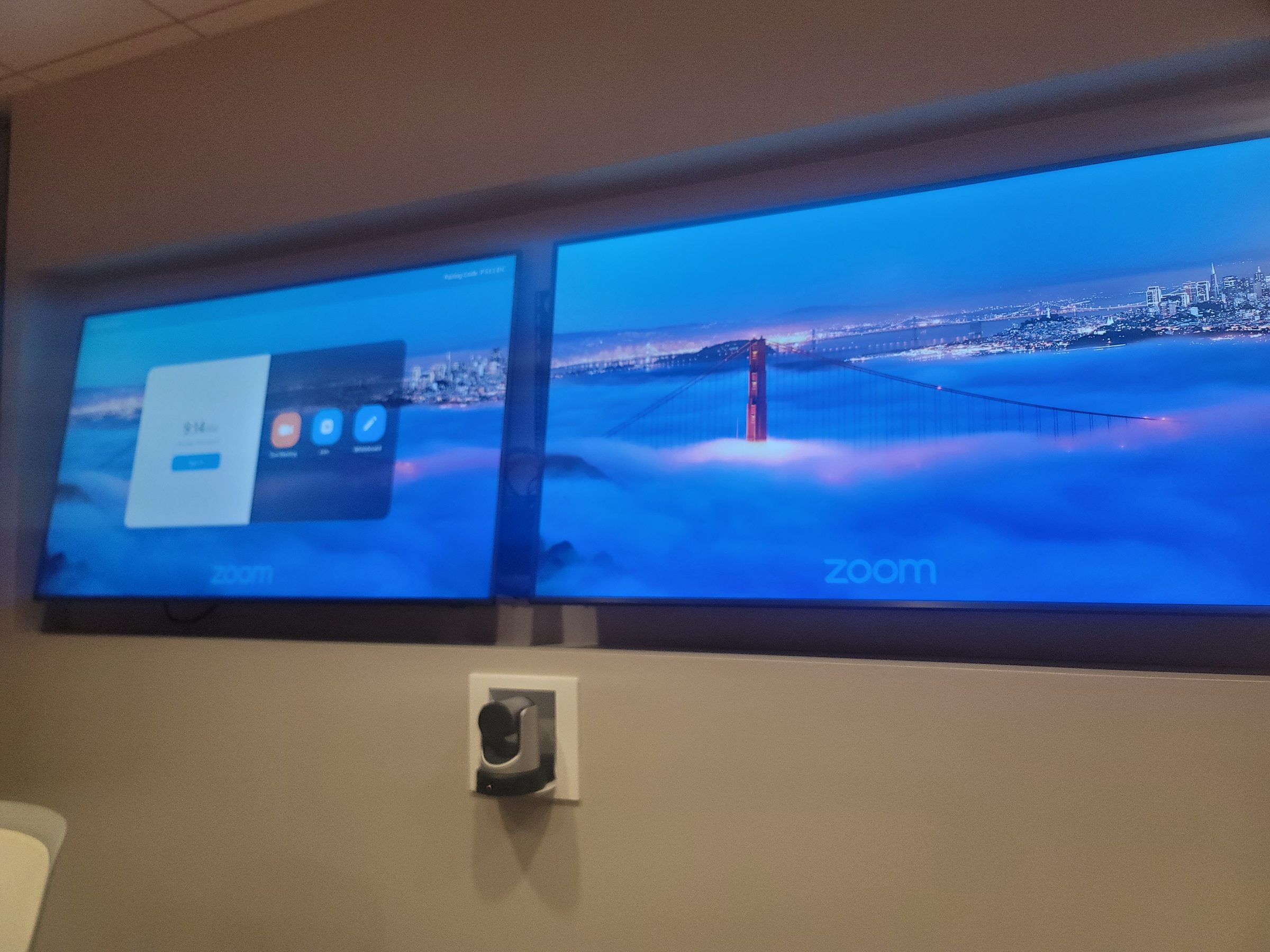
Zoom Rooms remains the platform of choice for many Houston firms whose clients and partners standardized on Zoom during the pandemic. We install certified Zoom Rooms hardware that mirrors the same one-touch join experience, with Zoom's gallery view, smart speaker tracking, and content co-annotation. For firms that run both Teams and Zoom, we design rooms that support both platforms — the hardware layer (camera, mics, display, DSP) is identical; only the compute appliance and app change. A room switch on the touch panel lets the user pick "Teams" or "Zoom" at the start of the meeting, and the system routes all audio and video to the correct platform in seconds.
Cisco Webex Rooms and Google Meet hardware round out the platform landscape. Cisco Webex is common in enterprise environments where Cisco collaboration suites are the standard, and Google Meet is popular in education and tech-forward offices that live in Google Workspace. We install and support all four platforms — Teams, Zoom, Webex, and Meet — with the same approach: certified hardware, native app experience, and a control system that abstracts the platform so the user never has to think about which button to press.
Display Technology for Conference Rooms
Display selection follows room size, content type, and viewing angles. A 4K display in the 65–86 inch range covers most boardrooms — large enough for the farthest viewer to read a spreadsheet cell, sharp enough for 4K video conferencing, and bright enough to overcome ambient light from windows without closing the shades. For rooms with windows we specify anti-glare panels; for rooms with high ambient light we specify displays with 500+ nits brightness so the image never washes out.
Dual-screen setups are standard for hybrid meetings. The first display shows the remote participants — the people on the far end of the call — and the second display shows shared content like slides or screen shares. This split prevents the "you're sharing your screen, I can't see the participants" problem and lets in-room attendees maintain eye contact with remote colleagues while reviewing content. Dual displays can be placed side-by-side on the front wall or split across front and rear for longer rooms.
Interactive whiteboards add a third dimension — annotation and co-creation. The Microsoft Surface Hub 2S and Samsung Flip WM005H are the two most common choices for Houston conference rooms that need more than passive viewing. The Surface Hub 2S runs Microsoft Teams and Whiteboard natively, supports multi-user inking with 100-point touch, and can be mounted on a mobile stand so it moves between rooms. The Samsung Flip is a simpler, cost-effective option for rooms that need annotation on top of a display without the full Teams integration. We help clients choose between them based on whether the room needs a full computing platform (Surface Hub) or a presentation display with touch (Flip).
Houston Commercial Installations
Houston's commercial landscape spans energy, law, medicine, and finance — and each industry has different AV requirements. In the Energy Corridor, corporate offices along I-10 and the Katy Freeway house energy trading floors and executive boardrooms that need crystal-clear audio for analyst calls and earnings presentations. We install boardroom AV systems with dual displays, ceiling-array microphones, and Crestron control in these spaces — the emphasis is on reliability, because a garbled earnings call is not an option.
Galleria-area law firms prioritize confidentiality and discretion. Their conference rooms need audio that's intelligible to partners in the room but inaudible to people outside it — which means acoustic treatment, sound masking in the corridors, and STC-rated walls around the room. Video conferencing for depositions and client meetings demands a camera that captures every face clearly without requiring anyone to lean into the frame.
The Texas Medical Center — the largest medical complex in the world — has a growing need for telehealth conference rooms. These rooms connect physicians to remote patients or specialists, so the AV system needs clinical-grade reliability: redundant audio paths, a camera that tracks the speaker, and a display large enough for medical imaging. We install telehealth-ready conference rooms at TMC institutions with the same control-system discipline as a corporate boardroom — one touch to join, one touch to end, no fumbling with cables.
Downtown Houston financial firms — banks, investment managers, private equity — run trading and pitch meetings where every word matters. Their conference rooms often need dual displays for market data alongside the video feed, plus acoustic isolation from the trading floor. We've installed AV systems in downtown towers from Main Street to the Theater District, and the brief is always the same: zero downtime, perfect audio, content on every screen.
Acoustic Considerations for Conference Rooms
Acoustics make or break a conference room — and most rooms fail before the AV system is even installed. The room itself has a reverberation time (RT60) that determines how long sound lingers after someone speaks. For conference rooms, the target RT60 is 0.4–0.6 seconds: short enough that speech stays intelligible, long enough that the room doesn't feel dead. We measure RT60 with a calibrated microphone and impulse response, then specify acoustic treatment — wall panels, ceiling clouds, bass traps — to bring the room into range.
Speech intelligibility is the metric that matters for video conferencing. The Speech Transmission Index (STI) measures how clearly speech is understood at each seat, and the target for conference rooms is 0.60 or higher on the STI scale (0–1). A room with an STI below 0.45 will cause remote participants to ask "what did they say?" repeatedly — and that friction kills the meeting. We model STI in software during the design phase, then verify it on-site after installation with the same calibrated measurement. If a seat tests below 0.60, we adjust the speaker EQ, reposition the loudspeaker, or add treatment until every seat passes.
STC (Sound Transmission Class) ratings matter when confidentiality is a concern. An STC-50 wall blocks most speech from adjacent spaces; an STC-40 lets some low-frequency rumble through. For law firms, boardrooms, and HR conference rooms where privacy is a legal requirement, we specify STC-50 or higher wall assemblies — including sealed doors, gasketed frames, and sound-isolated HVAC. A room with STC-35 drywall and an open undercut door leaks every word into the hallway, and no amount of AV gear fixes that.
Frequently Asked Questions
Do you install Microsoft Teams Rooms in Houston?
Yes. We install certified Teams Rooms solutions from Logitech, Crestron, Yealink and other certified partners — from huddle spaces to large boardrooms.
Can you handle divisible rooms that combine and split?
Yes. We use DSP-driven routing with partition sensors so the audio, displays, and codec reconfigure automatically when the airwall opens or closes. The user taps "combine" on the touch panel; the system handles the rest.
What about Zoom Rooms or Google Meet?
We install certified Zoom Rooms and Google Meet hardware alongside or instead of Teams Rooms. The room design — camera, mics, displays, acoustics — is the same; the compute and app layer changes. We support all three platforms.
Do you provide documentation and training?
Every installation includes as-built documentation, a user quick-reference guide, and a training walkthrough with the room owner. We also schedule a 30-day check-in to catch any issues after the team has lived with the system.
How do you handle acoustic problems in a conference room?
We measure RT60 (reverberation time) and STI (speech transmission index) with a calibrated microphone, then specify acoustic treatment — wall panels, ceiling clouds, bass traps — to bring the room into the 0.4–0.6 second RT60 range and 0.60+ STI target for clear speech. For rooms where confidentiality matters, we also verify STC (sound transmission class) ratings so speech does not leak into adjacent spaces.
Can you install AV in our specific Houston neighborhood or building?
Yes. We install conference room AV across Greater Houston — Energy Corridor corporate offices, Galleria-area law firms, Texas Medical Center telehealth rooms, downtown Houston financial towers, and suburban campuses in The Woodlands, Sugar Land, and Katy. Every building has its own constraints (floor loads, ceiling types, fire ratings, IT security); we coordinate with your facilities and IT teams before we run a single cable.
What is the difference between ceiling-array microphones and tabletop microphones?
Ceiling-array microphones like the Shure MXA920 mount flush in the ceiling and use beamforming to track the active talker — invisible, no table clutter, excellent for boardrooms. Tabletop microphones like the Shure MXA710 sit on the table closer to the talker — higher signal-to-noise but visible hardware. We recommend ceiling arrays for boardrooms where aesthetics matter and tabletop arrays for huddle spaces and training rooms where presenters move around.
Do you install interactive whiteboards like the Surface Hub or Samsung Flip?
Yes. We install and configure Microsoft Surface Hub 2S for Teams-native whiteboarding and multi-user inking, and Samsung Flip displays for simpler annotation use cases. We help you choose based on whether the room needs a full computing platform or a touch-capable presentation display — and we mount them on the wall or a mobile stand so they can move between rooms.
Experience across the system—not just one box
Chris Cox brings over 25 years of professional AV engineering, programming, integration and troubleshooting experience across multiple platforms. We look at how the equipment, control and network work together, then discuss the service scope, access requirements and charges before work begins.
AV repair and system takeovers · Control4 service · Savant service · Crestron service · Lutron service
Ready to start?
Tell us what you want the room to do. We'll handle the rest.