SERVICE AREA · MEMORIAL · HOUSTON
Memorial AV service, system takeovers and installation.
Obsidian Audio Video supports Crestron, Control4, Savant and Lutron systems in Memorial and the Memorial Villages, including installations by other companies. Get help with unresponsive controls, missing audio or video, lighting and shades, or plan a home theater and smart-home installation.
Call 346-357-5323 with the property address and the rooms or functions that need attention. Homeowners and estate or property representatives can start the conversation.
Service and installation for a connected Memorial home.
Repairs & system takeovers
Assess an existing installation when the original provider is no longer involved.
↯
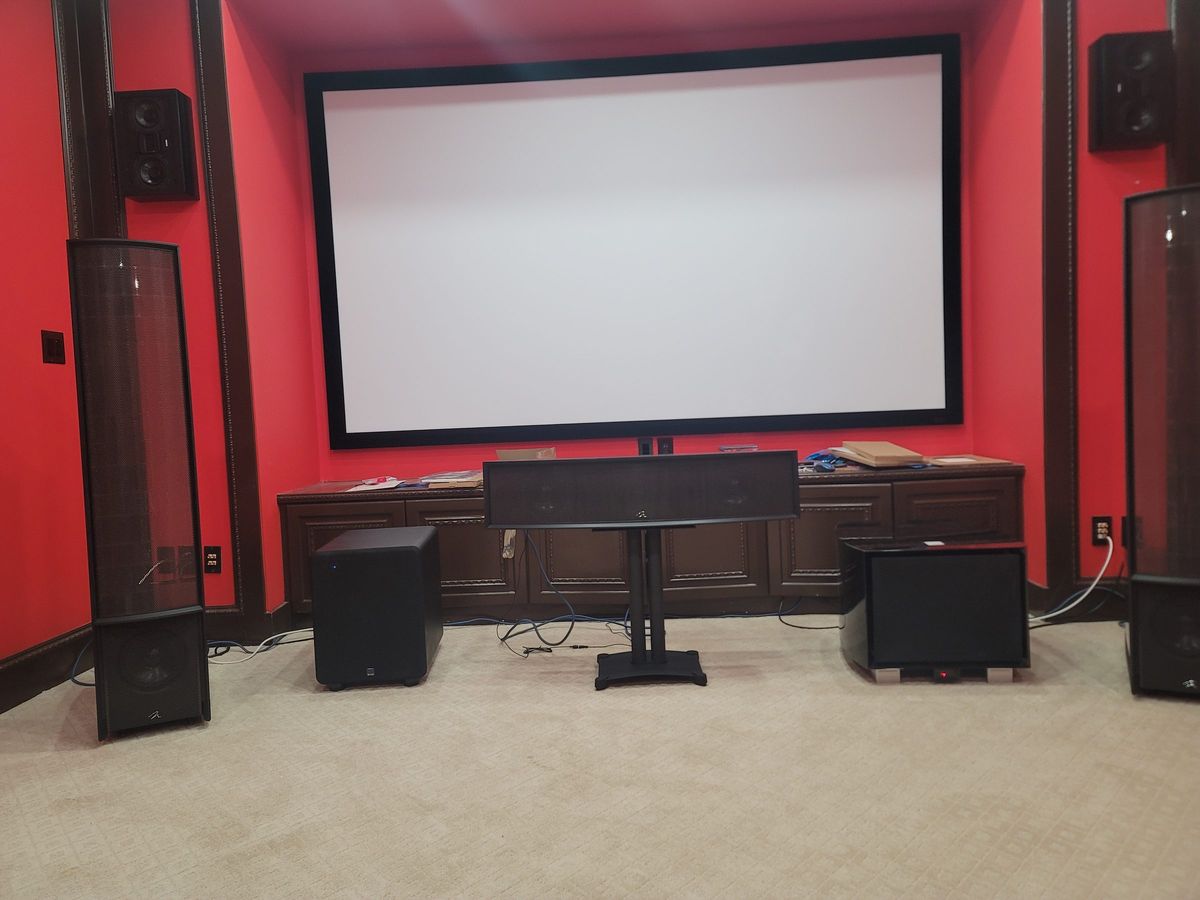
Home theater installation
Room layout, screens, speakers and controls for a theater or media room.
↯
Whole-home control
Plan compatible Crestron, Control4 or Savant integrations.
↯
Lutron lighting & shades
Service existing controls or discuss lighting and shade changes.
↯
Indoor & outdoor audio
Room-by-room source and volume control, including patio listening.
↯
Property networking
Review connections across wings, floors and separate structures.
↯
Commercial AV
Meeting-room and presentation systems for Memorial-area businesses.
↯
PROPERTY PLANNING
Plan around the existing house—not just a new equipment list.
Renovations with systems that must stay usable
In an occupied Memorial renovation, identify the lighting, TV rooms and network connections needed during each construction phase. Before cabinetry or walls change, locate equipment access, ventilation, cable routes and service clearances. Bring the renovation plan and tell us which existing controls or finishes you want to keep.
Estate wings, guest spaces and detached buildings
If the property includes a guest house, pool area or detached garage, treat it as a separate service location within the visit. Note where equipment is housed and which rooms share sources or controls. Distance, existing cable paths, power and outdoor exposure affect the design; adding a wireless access point alone may not address every connection problem.
Lighting and shades during a remodel
Keep model numbers and any lighting schedules when fixtures, dimmers or window treatments change. A new fixture or shade cannot be assumed compatible with the existing control system. Coordinate electrical work with the responsible electrician and make the AV integration requirements part of the renovation scope.
EXISTING-SYSTEM SERVICE
Separate a room problem from a property-wide fault.
- One wing has lost audio: list the rooms affected and whether the same music source works elsewhere. Include detached or outdoor zones in the list.
- A touchpanel is blank or cannot connect: record what appears on it and whether other panels, remotes or local controls still respond.
- A lighting scene is wrong after work on the house: note the fixtures or controls changed, the scene name and what the local switches do.
- TVs or streaming stopped after an internet change: provide the change date and equipment replaced, even if phones and laptops still reach the internet.
Keep existing labels, drawings and programming files. Do not factory-reset controllers to prepare for service. Repair options depend on what can be accessed and tested; a missing original project file may limit programming changes.
BEFORE YOU BOOK
Prepare the property and the service scope.
Name a homeowner or authorized representative who can approve access and work. Provide the address, affected systems, equipment photos and a prioritized room list. Tell us if racks, lighting controls or network equipment are in locked rooms or separate buildings; arrange access without putting passwords or access codes in the contact form.
For installation work, bring floor plans, reflected ceiling or lighting plans if available, the construction phase, and the builder or designer contact. Ask about diagnostic charges, scheduling and which tests or rooms the visit covers. Any repair, retained equipment or phased upgrade needs to be scoped to the actual system rather than assumed from the property’s size.
System guides and related services.
Choose the guide for your installed platform. Brand names identify the systems supported, not a guarantee that every model or requested change is serviceable.
Planning resources
If the renovation includes shared TV sources or additional music rooms, these guides explain the design choices to discuss.
Other installation and service options
LOCATION & ACCESS
Memorial and the Memorial Villages.
Service inquiries include Memorial, Bunker Hill Village, Hunters Creek Village, Piney Point Village and Hedwig Village. Contact us about projects in 77024 and the surrounding Memorial area. Neighborhood names and postal boundaries differ; confirm the full project address and requested work rather than treating one ZIP as the boundary of every village.
For a property north of Houston, see AV service in The Woodlands.
See all service areas ↯Questions about AV service in Memorial.
Can you service a Memorial system if the original installer is unavailable?
Yes. We accept takeover inquiries for Crestron, Control4, Savant and Lutron installations by other companies. Gather any drawings, equipment lists and project backups. Access, licensing, equipment condition and the availability of editable files determine which repairs or programming changes are possible.
Can an estate manager arrange the visit?
Yes. Provide the property address, an authorized contact and the affected room list. Identify equipment rooms and detached buildings that need access, and confirm who can approve the scope and charges before the visit.
Can existing equipment remain during a Memorial renovation?
It may be possible to retain working equipment, but compatibility, condition and the new room layout need review. Share the construction sequence and the systems that must remain in use so retained equipment and new work can be considered together.
Do you install home theaters as well as repair them?
Yes. Home theater installation remains part of the service offering. Bring the room dimensions, seating plan, light conditions and intended sources; those details help define speaker placement, display options, wiring and controls.
Start with the Memorial property and the problem.
Call to discuss an existing system, a renovation or a new installation. Confirm availability and visit scope before booking.