AV troubleshooting: the 5 most common failures.
2026-09-21 · Obsidian Audio Video · Houston
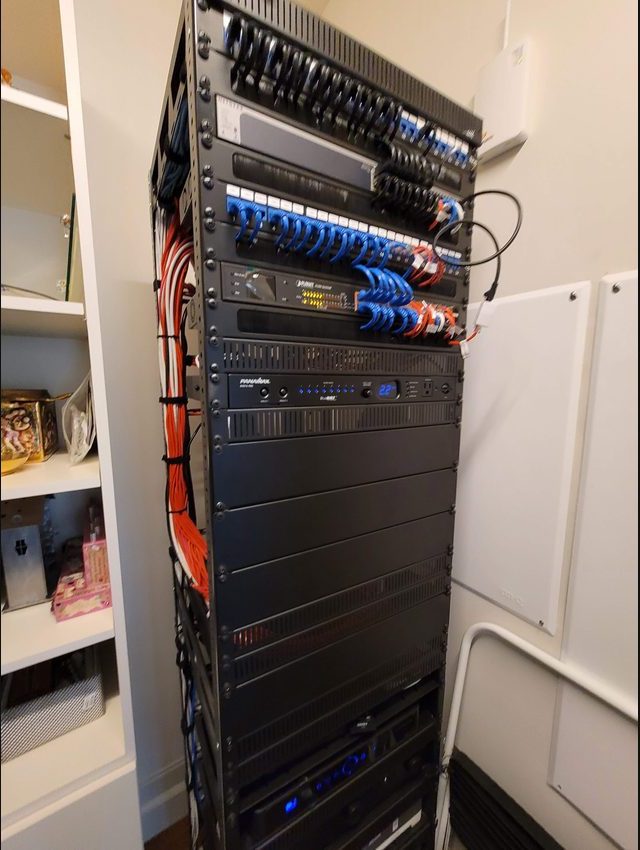
Across Houston homes with Control4, Crestron, Savant and Lutron systems, the same five problems come up again and again. Most have simple fixes that homeowners can handle before calling a technician, and understanding them can save you a service call and several days of waiting for an appointment. Here is what we see in the field, what causes it, and what you can do about it.
1. "The system is not responding"
This is one of the most frequent service calls. You press a button on a keypad, the app, or a remote — and nothing happens. The lights do not respond, the TV does not turn on, the shades do not move.
Cause: The automation processor has locked up or the network has dropped. Professional control systems (Crestron, Control4, Savant) run on dedicated hardware processors that are essentially small computers. Like any computer, they can freeze, crash, or lose their network connection. In Houston, power surges from thunderstorms and lightning (which we get frequently) are a common trigger — even with surge protection, a near-miss strike can disrupt the processor without tripping the UPS.
Fix: Reboot the processor. Find the main processor in your equipment rack (it is usually the largest component with status LEDs). Unplug it, wait 30 seconds, plug it back in. Wait 2–3 minutes for it to fully boot and re-establish all device connections. Most issues resolve here. If you have a UPS (uninterruptible power supply) on the rack, check that it has not tripped — if the UPS is showing a fault, the processor may not be getting clean power.
Prevention: Install a quality UPS on your equipment rack. This filters power surges and provides ride-through during brief outages. In Houston's thunderstorm season (May through September), this is not optional — it is essential equipment protection.
2. "The lights will not dim — or they flicker"
You dim the lights and they flicker, buzz, or drop to off instead of dimming smoothly. Or the lights do not dim at all — they are either on or off with nothing in between.
Cause: LED incompatibility with the dimmer, or a failed dimmer module. This is the most common lighting issue in Houston homes, especially in new construction where LED recessed lighting is standard. Not all LEDs are dimmable, and not all dimmable LEDs work with all dimmer types. Lutron dimmers have minimum load requirements — if the LED load is too small (a single 7-watt LED recessed light, for example), the dimmer may not function correctly.
Fix: Check if the dimmer is rated for the LED load on that circuit. Lutron's LED Product Compatibility tool (available on their website) lists which LED fixtures work with which dimmers. If the dimmer has failed (common after 7–10 years or after a power surge), the module needs replacement, which means a part and a service call. If the LED is incompatible, either the fixture or the dimmer needs to change.
Prevention: Use Lutron-compatible LED fixtures from the start. Your integrator should verify compatibility during installation and document which fixtures are on which dimmer types. Keep this documentation — it saves hours of troubleshooting later.
3. "The audio drops out or cuts off"
Music starts playing, then stops. Or it cuts in and out. Or a specific zone stops working entirely while others are fine.
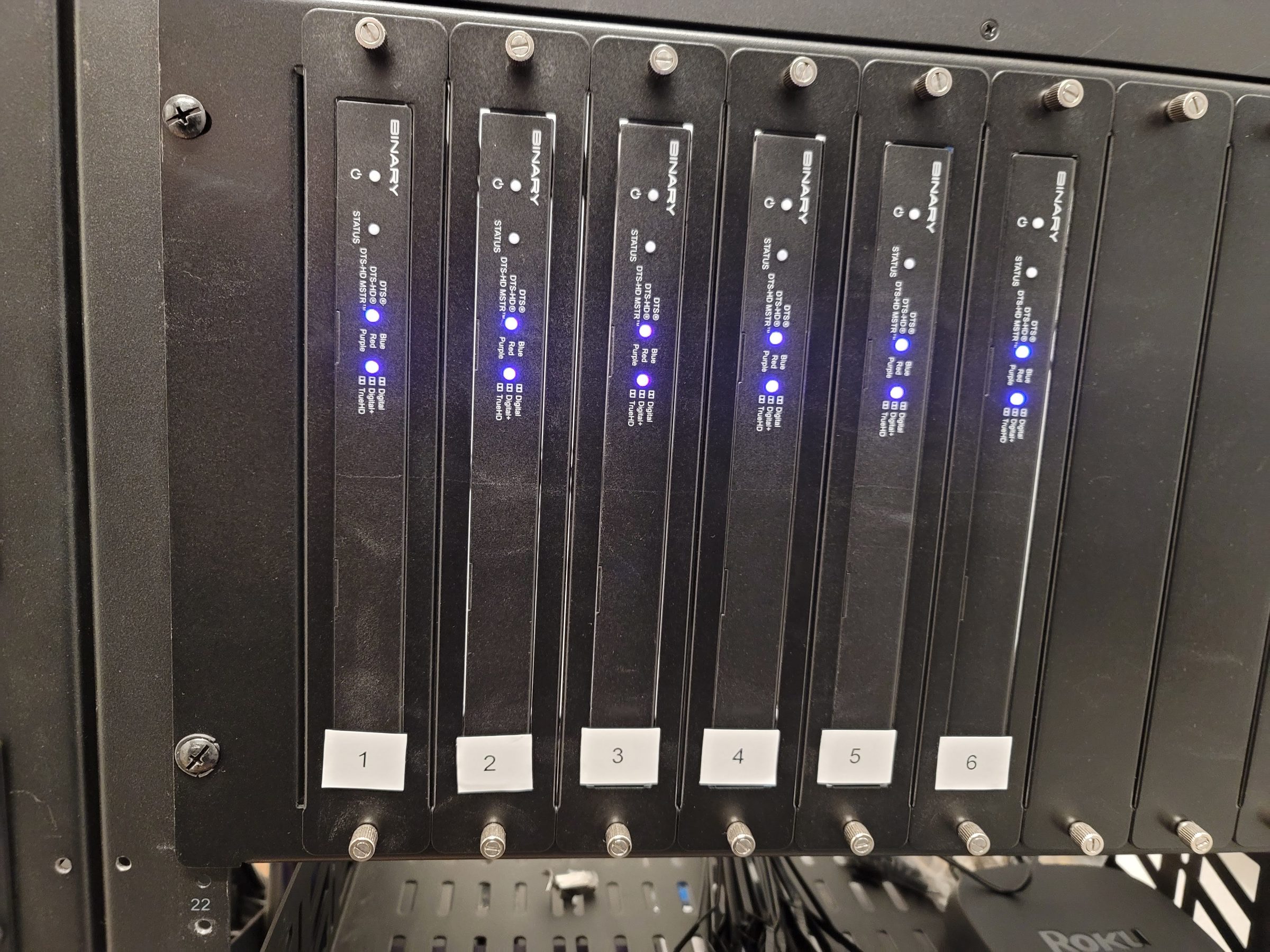
Cause: For streaming audio (Sonos, Spotify, AirPlay): network congestion, Wi-Fi interference, or a dropped DHCP lease. For hardwired distributed audio: loose speaker wire connections at the amplifier, a blown channel on the multi-room amp, or a failed volume control keypad. In Houston homes with multi-room audio, the most common cause is network-related — our high device counts (smart TVs, phones, tablets, IoT devices) can overwhelm consumer-grade Wi-Fi routers.
Fix: Check Wi-Fi signal strength in the affected zone. Reboot the network switch and router (unplug, wait 30 seconds, plug back in). If the issue persists, check the amplifier — is the channel showing a fault LED? If a speaker wire has come loose at the amp terminals, reseat it. If the amp channel has failed, it needs service or replacement.
Prevention: Use a managed network with proper VLAN segmentation (Ubiquiti UniFi or Cisco). Hardwire streaming endpoints (Sonos amps, Apple TVs) to Ethernet rather than Wi-Fi. Run Cat 6 to every streaming device during construction.
4. "The shades will not move"
You press the shade button on the keypad or app and nothing happens — or the shade moves partway and stops.
Cause: Dead battery (for battery-powered shades), failed motor (for hardwired shades), or a communication error between the shade controller and the automation system. In Houston, heat is a significant factor — battery-powered shades in west-facing windows degrade faster because the solar load on the battery housing accelerates battery aging.
Fix: For battery shades: charge the battery. Most Lutron and Somfy battery shades use a rechargeable lithium pack — remove it, charge it with the included USB cable for 4–6 hours, and reinstall. If the battery will not hold a charge, it needs replacement. For hardwired shades: check the shade controller (Lutron Sivoia QS or QS Wireless) for error codes. If a motor has failed, the shade needs a service call — motor replacement is a part plus labor for each shade.
Prevention: For new installations, choose hardwired shades over battery wherever possible. Running the wire during construction is easy while walls are open, and you eliminate the battery maintenance cycle entirely. For existing battery shades, plan on replacing the battery every 12–18 months — more frequently if the shade is in direct sun.
5. "The TV has no sound or the wrong input"
The TV turns on but there is no sound. Or it is on the wrong input — HDMI 2 instead of HDMI 1, or Apple TV instead of the cable box.
Cause: The control system has lost track of the TV's input state. This happens when someone uses the TV's native remote (bypassing the control system) to change inputs manually. The control system still thinks the TV is on the last input it commanded, and the mismatch causes no sound or the wrong source.
Fix: Use the control system's "Watch TV" or "Watch Movie" button on the keypad or app — this resends all input and power commands in the correct sequence. Do not use the TV's native remote; it desynchronizes the control system. If the issue persists, the control system may need the input commands reprogrammed — a service call.
Prevention: Train everyone in the household to use the control system interface (keypad, app, or remote) rather than the TV's native remote. Hide the native remote in a drawer. This single habit change prevents most "wrong input" problems.
When to call a professional
If you have tried the fixes above and the problem persists — or if you see smoke, smell burning electronics, hear a breaker tripping, or notice any physical damage — call a professional. Do not open equipment enclosures or attempt repairs on line-voltage components. For Houston homeowners, call 346-357-5323 and describe what stopped working. Scheduling, the diagnostic fee and the initial scope are confirmed before the visit; repair time depends on the fault, the equipment and the access available.
Need AV service? Schedule a service call or call 346-357-5323.